Vuoro
Smartwatch app
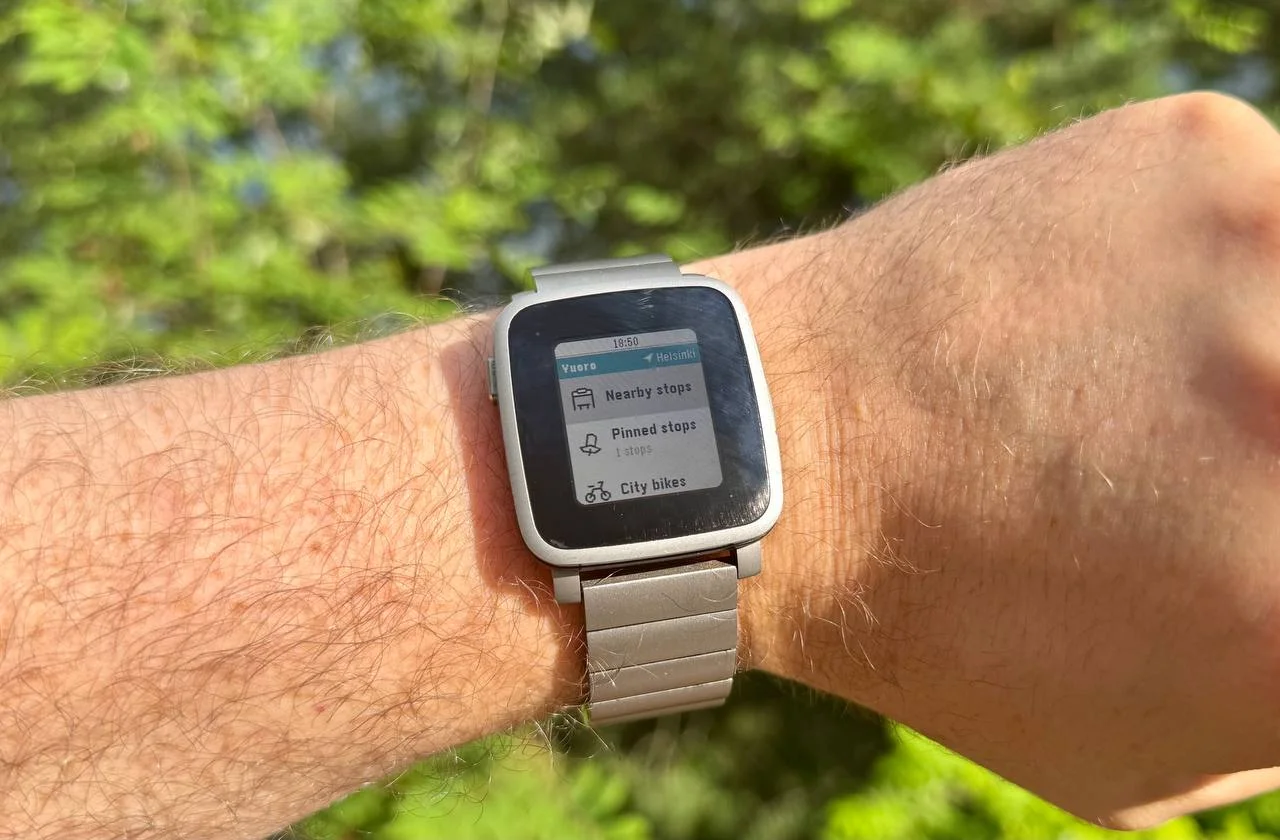
Application for Pebble smartwatches to find nearest bus stops and next departing lines in Finland.
Vuoro is an application made for Pebble smartwatches (opens in new tab). Pebbles are very minimalistic smartwatches with an e-ink screen and long battery life.
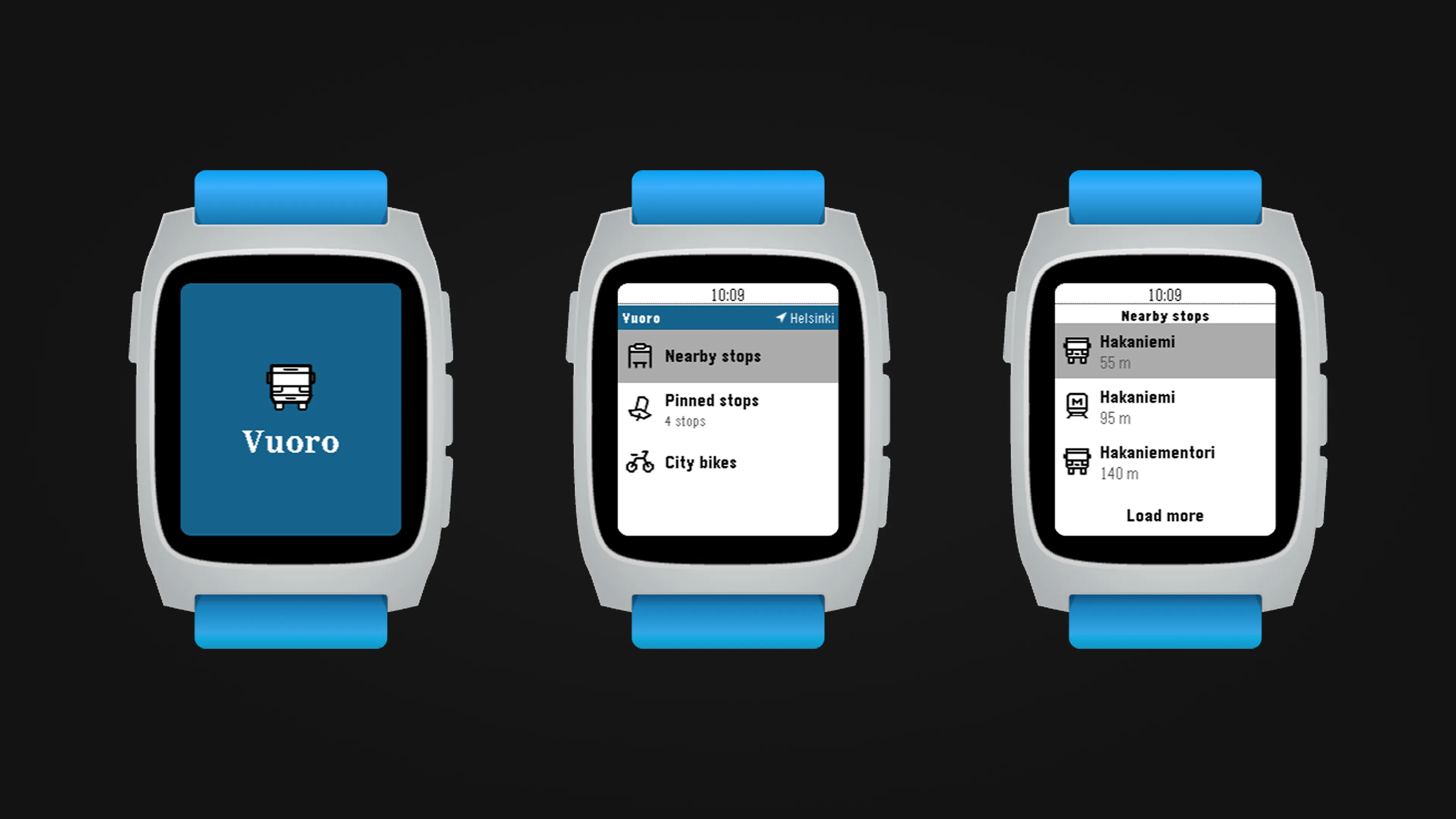
The Vuoro app quickly shows the nearest bus stops and the next departing lines in Finnish cities. It also allows the user to favorite their most used stops and view the status of city bike stations. Vuoro supports buses, trams, and subways, and it works in most major Finnish cities.
Design and development
It is hard to believe this myself, but the development of this app started over 10 years ago, in 2016. I had just received my shiny new Pebble Time Steel watch, and I was disappointed to find out that nobody had made a decent app for it to track buses in my hometown, Tampere. The app had only some of the features it has today, but it was fully functional and used by many. As Pebble got acquired by Fitbit in late 2016, Pebble services eventually got shut down. To the surprise of many of us, Pebble officially returned in 2025 (opens in new tab), and even announced that new watch models were in production. This inspired me to revive this app and update it to match the vision I originally had for it.
But a lot had changed during 10 years. The API for Tampere transit services had gone down and Tampere had moved to use the Digitransit API (opens in new tab). This was mostly a good change because it meant I was able to support more cities than just Tampere, and Digitransit also offered a lot more data to build experiences around.
So, I opened up Figma and redesigned the whole application with the same core idea but a lot of new features and quality-of-life changes. I also took advantage of the new hardware while still wanting to maintain support even for the oldest Pebble models. Feeling nostalgic, I also designed new custom icons for the app following the distinct and lovely style of Pebble icons. Getting icons to render cleanly on Pebble devices is a skill of its own, as the small e-ink screen is very picky about the rendered angles and stroke widths.

Reimplementing the whole application in C was interesting. I have to admit that I really got spoiled by past me, as the app was already structured in a way that changes were quite a breeze to implement. Touching code over 10 years old makes me feel warm and fuzzy. It was never forgotten, and still useful.
Hardware limitations
One of the key challenges when developing for Pebble watches is their harsh hardware limitations. Screens are small on all models, 144×168 pixels on most Pebbles. But an even more challenging limitation is the app RAM (heap) budget. Most Pebbles have 64 KB of heap, and the oldest Pebble model has merely 24 KB. If you were wondering, yes, that is the total budget the app has to fit into — the code’s static data, all mallocs, and the graphics buffers all come from that memory.
This creates interesting challenges when designing and developing apps for Pebble watches. You cannot include everything, and you need to carefully consider the budget for every feature you add. When Vuoro loads on the aplite platform (which is the platform of the oldest Pebble model), there is only about 3.5 KB of free heap left. This means that even the smallest code additions can tip it over into an out-of-memory crash.
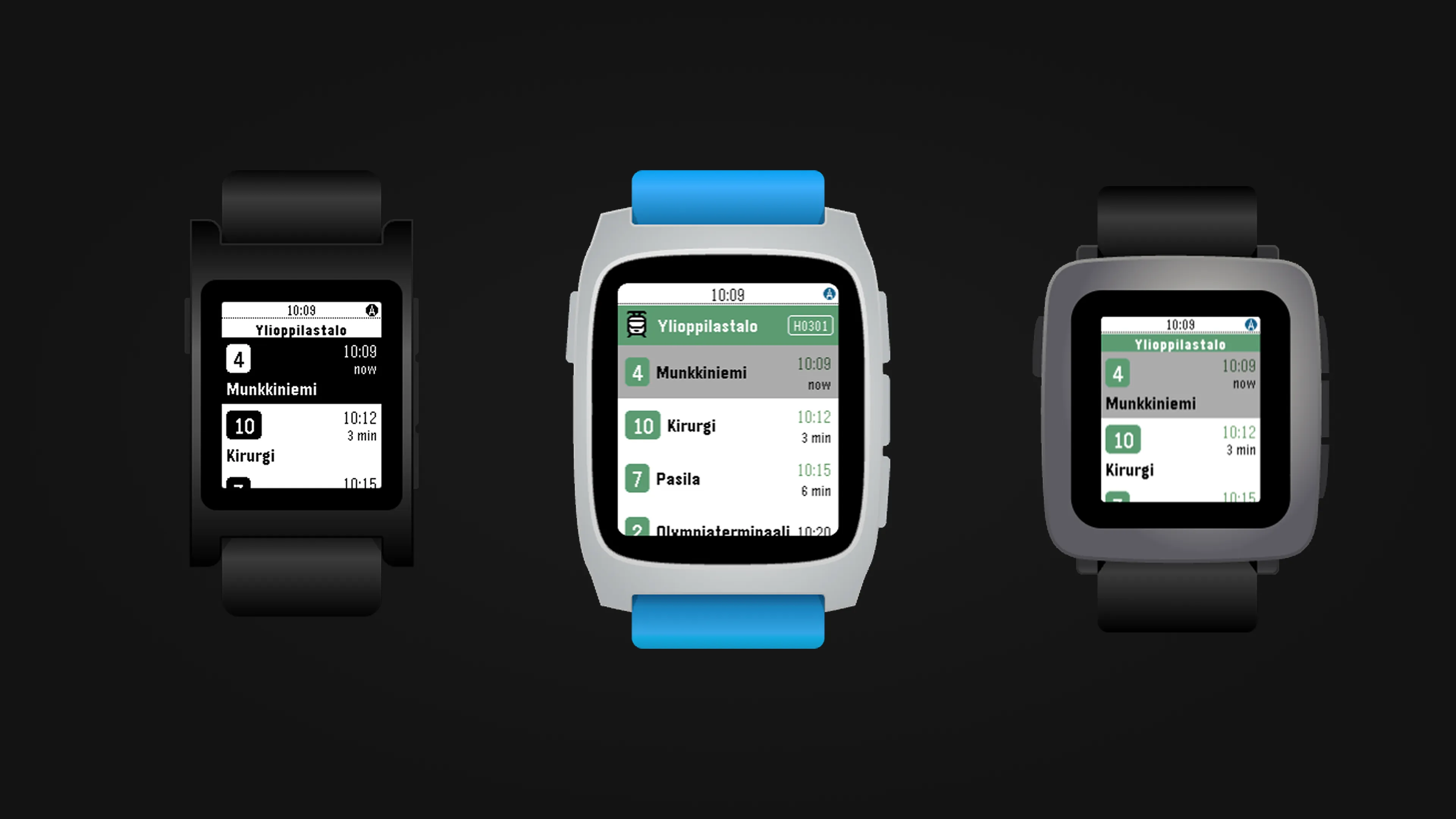
I, for one, enjoy these kinds of limitations. In the modern world we are used to having a nearly endless amount of resources available. It was refreshing to design something that needed to squeeze every single bit out of the memory budget to create a consistent and useful experience. I also almost feel like it is my responsibility to keep even the oldest Pebble models supported. My own 10-year-old Pebble Time Steel is still running strong too.
If you have a Pebble, you can download Vuoro to your watch from the Pebble Appstore (opens in new tab). If you do not live in Finland, please feel free to adapt the app to work in your country.